First-time setup
Connect your display, join Wi-Fi, then choose your railway.
Welcome to Platform 9, a railway-arrival display designed and made by 玖造 9 Build. Complete the steps below before using it for the first time.
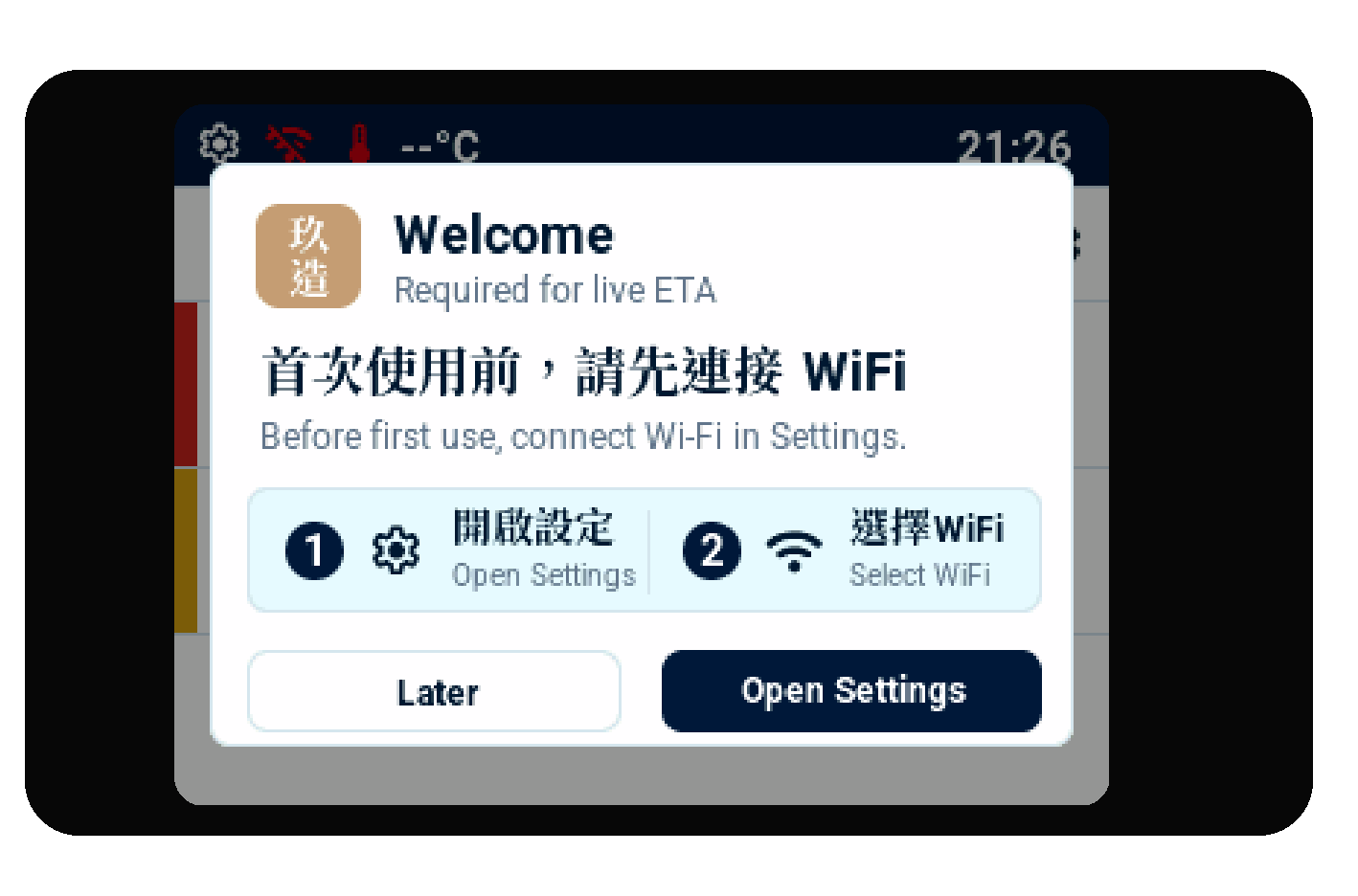
Your display asks you to connect Wi-Fi before it can show live arrival information.
Before you begin
- Keep the display connected to a stable 5 V USB power supply.
- Have the password for a normal 2.4 GHz Wi-Fi network ready. A 5 GHz-only network or a network that asks you to sign in on a phone browser cannot be used.
- Place the display where it can receive your home Wi-Fi signal.
Set up in three steps
- Connect power and wait for the welcome card.
- Select Open Settings. Choose your network from the list and enter its password.
- Return to the main display and choose Heavy Rail or Light Rail.
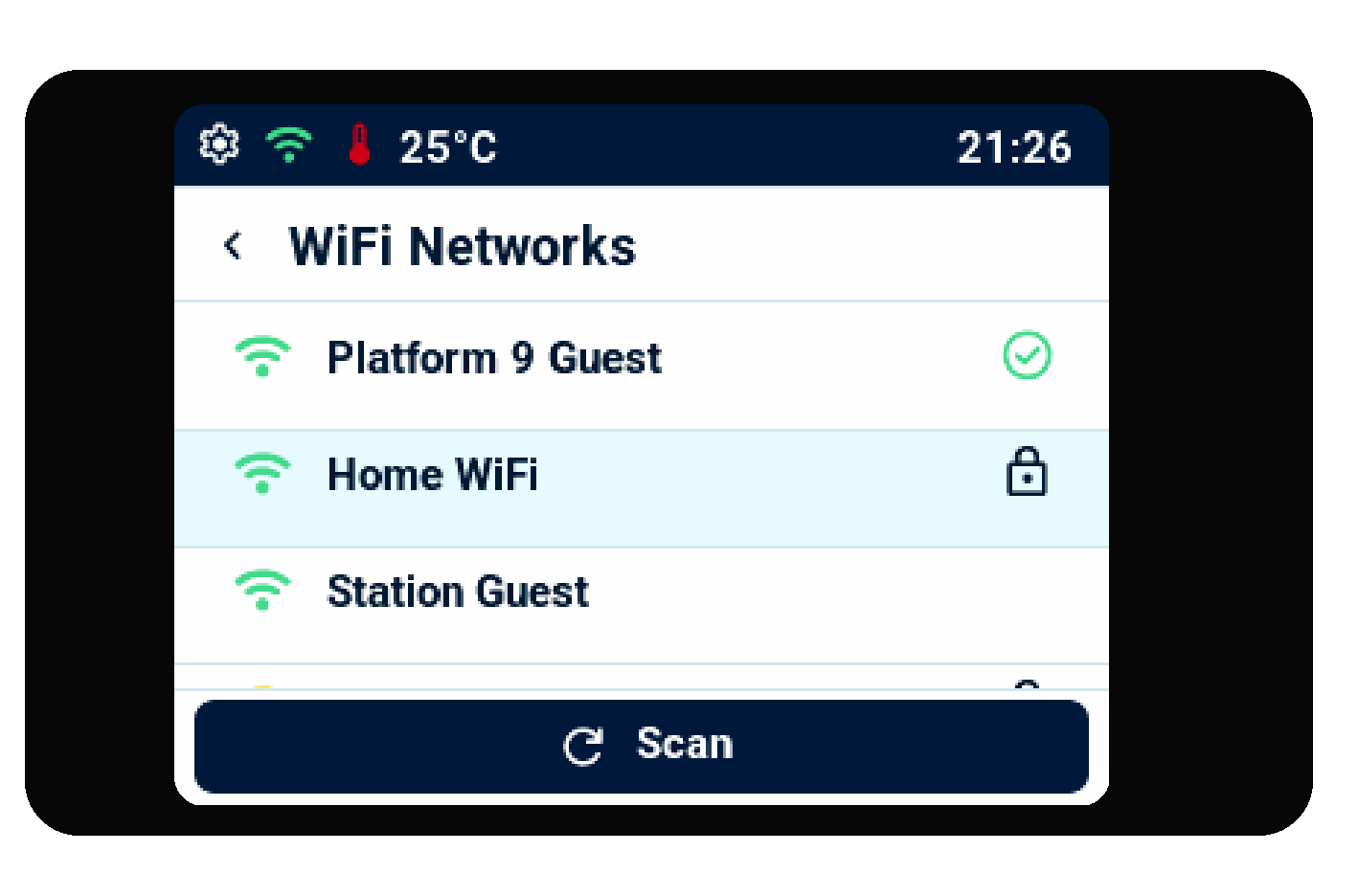
Choose your 2.4 GHz network from the list. See Wi-Fi for the password screen and connection icons.
Next, choose your journey
Use Choose your railway to select a Heavy Rail line and station, or a Light Rail route and stop. Then use Read the arrival display to understand the information on screen.
For customer assistance and product information, visit 9buildhk.com.