Read the arrival display
What the railway, destination, time, and Light Rail car symbols mean.
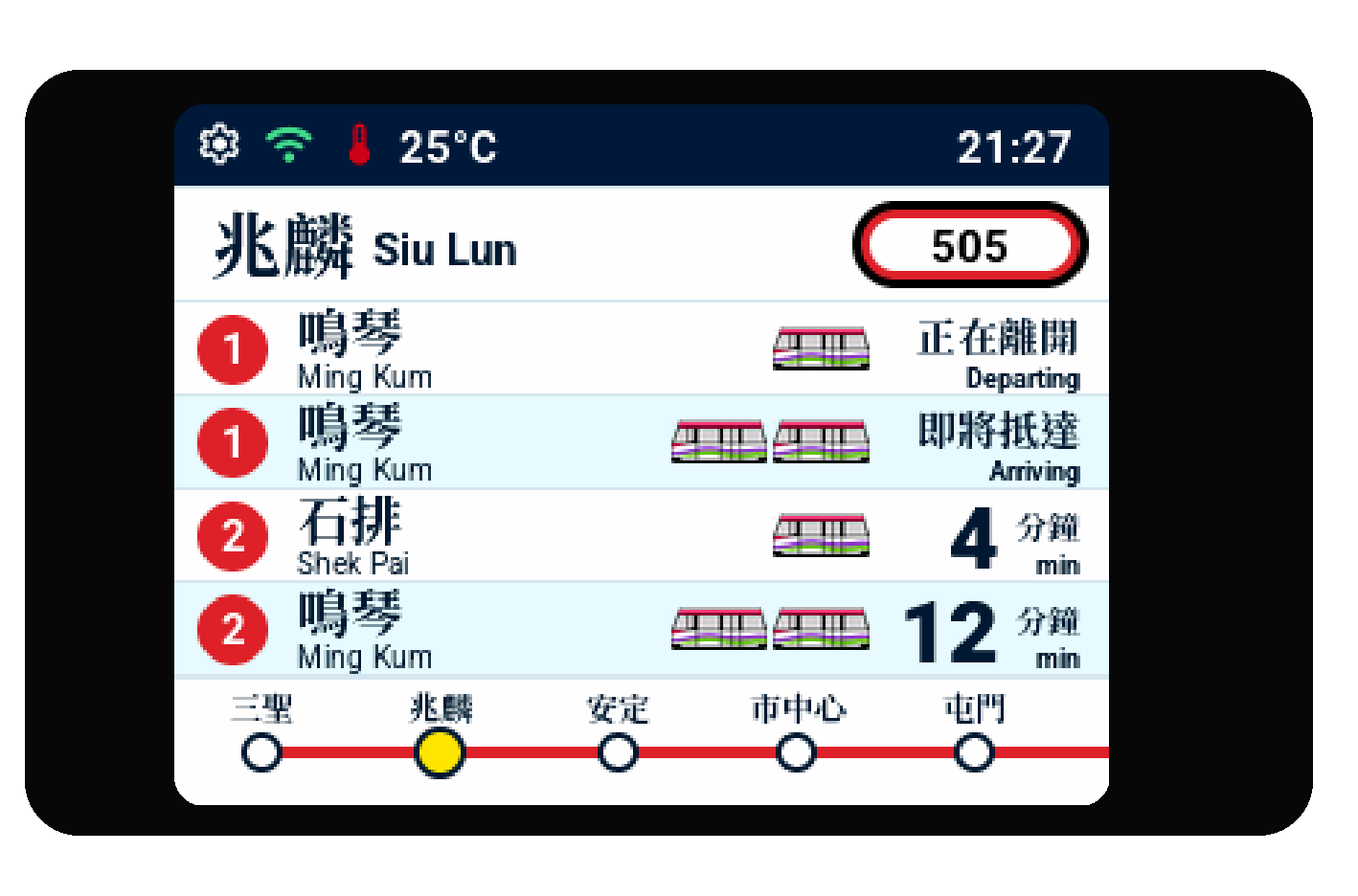
A Light Rail arrival board shown in the 9build device frame.
The information on screen
- The coloured number or route badge identifies the selected railway line or Light Rail route.
- The large place name is the stop or station you selected.
- Each row shows the train’s destination and the expected arrival information for that service.
- A number followed by min is the expected number of minutes. Arriving means the service is approaching now. Departing means it is leaving the stop now.
- A dash (
–) means the source has not supplied a countdown yet. Wait for the next refresh and check official information when travelling.
Airport Express paired platforms
At Airport station, an Airport Express service may show two numbered platform circles, such as 1 and 3 or 2 and 4. The two circles identify platform numbers for the same train. Follow station signs and announcements for the terminal entrance you need.
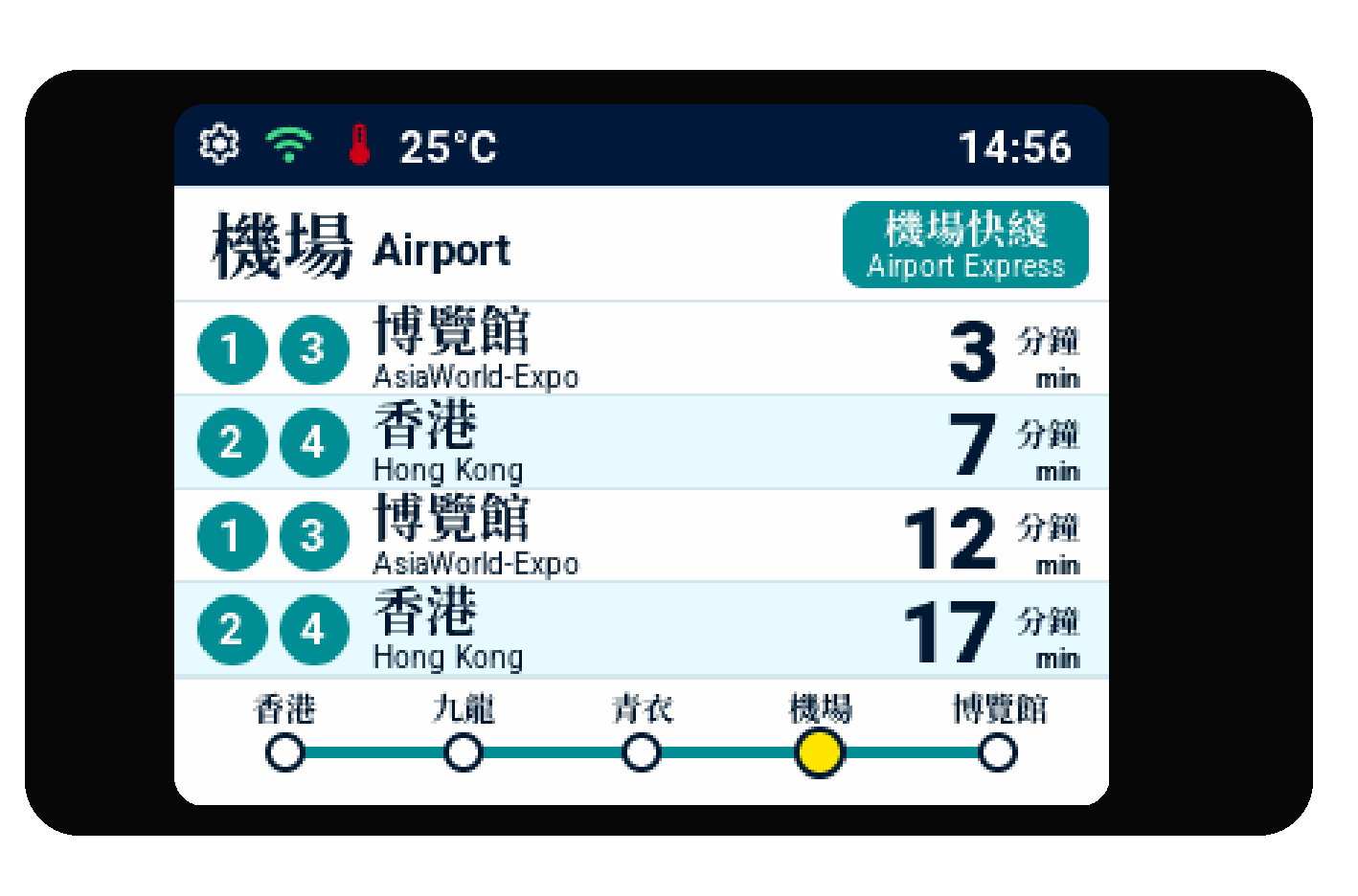
Paired platform circles on an Airport Express arrival board at Airport station.
Light Rail car symbols
The small tram drawings show the reported train formation:
- One drawing means a one-car vehicle.
- Two joined drawings mean a two-car vehicle.
They do not show crowding, spare seats, accessibility status, or a guarantee that the service will run. The arrival board is for general reference only.
Go back and change a journey
Tap the route badge or railway name to return to the selection screens. Your saved choice stays on the display until you select another one or reset the device.
Learn how to select a different line, route, station, or stop in Choose your railway.